Best BombitUP Old Version Download for 2026 Older Android Phones
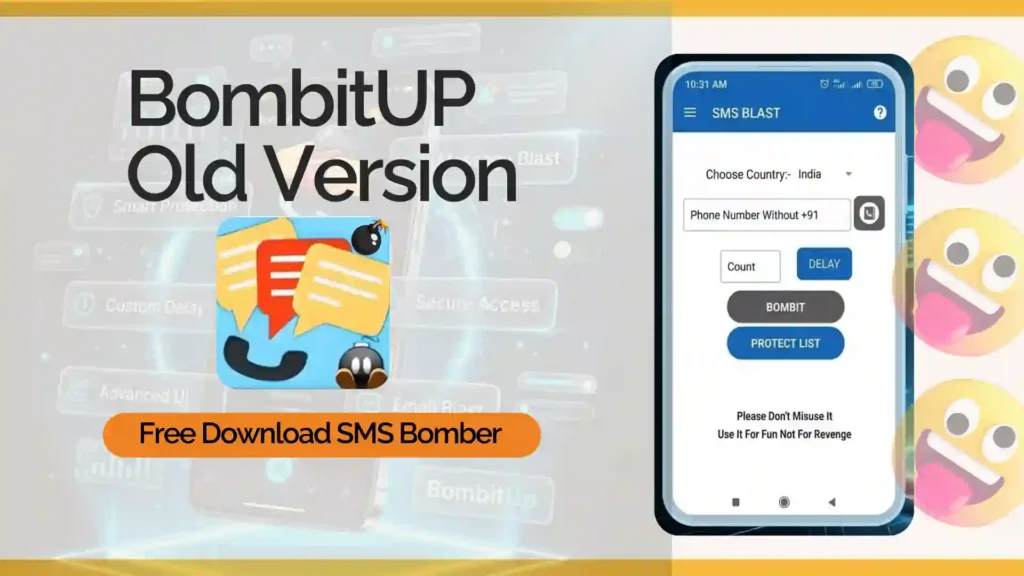
Being a user, not all app updates are positive and beneficial. Many Android users look to download the Bombitup old version after they start experiencing crashes and glitches with the latest version on their devices.
Even though some users are interested in downloading the latest version of the BombitUP APK, others choose to install an older version that is easier to use due to its security and performance. Bombitup APK older versions of the application are popular for offering many benefits to users.
In this article, we will explain why many users are interested in old versions of the BombitUP app, which versions are currently in high demand, how to install them, and what to keep in mind while downloading APK files.
Many users still seek downloads of the best older APKs for valid reasons related to performance and stability.
One of the biggest reasons is compatibility. Modern app updates usually require more RAM, storage, and processing power. Older Android phones may struggle to handle these changes smoothly, resulting in lag, crashes, or overheating.
Some people also appreciate older APK installation methods because they find the interfaces in such apps easier to use and understand.
- The old version of Bombit Up APK works faster on budget devices
- This consumes less battery power
- Require fewer system resources
- Feel lighter and faster in daily use
For many Android smartphone owners, performance becomes a priority over other aspects. If you wanna use it on your desktop the try Bombitup Online which is web based bombitup sms bomber tool.
It is better to focus on stable versions that are commonly used by Android users. Instead of downloading random builds from unknown websites, use the bombitup apk old version that are following

Bombit UP 4.6.1
4.6.1
Aug 31, 2025
SMS Bomber
9.77 MB
BOMBITUPP
Android 5.0+
- This version is regarded as one of the more balanced releases. It supports most core features while maintaining relatively stable performance across many Android devices.
- Users who want both functionality and stability often prefer this version.
BombitUp old Version 4.5.0
4.5.0
Dec 25, 2024
SMS Bomber
9.76 MB
BOMBITUPP
Android 5.0+
- This version is known for being lightweight and smoother on older smartphones. Devices with limited RAM or storage generally perform better with this build compared to heavier updates.
- Many users are searching for an old version for its lighter performance.
BombitUP Version 4.4.2
4.4.2
Mar 15, 2023
SMS Bomber
25 MB
BOMBITUPP
Android 5.0+
- It is popular among users who like a simple experience without major interface changes or additional system load.
- It is commonly installed on older Android devices where smoother performance is the priority.
BombitUp apk old Version 4.3.1
4.3.1
Oct 25, 2022
SMS Bomber
22 MB
BOMBITUPP
Android 5.0+
- People who prefer minimal updates and a basic interface
- Although it lacks some advanced improvements, many users still find it easier to use on low-end smartphones.
- Most users do not need every available version. Choosing one stable build that matches your device usually provides the best overall experience.
BOMBitUP APK v4.5.1
April 16, 2025
10 MB
BOMBitUP APK v4.4.3
Aug 7, 2024
10 MB
BOMBitUP APK v4.4.1
Jan 29, 2023
10 MB
BOMBitUP APK v4.3.0
Oct 22, 2022
10 MB
BOMBitUP APK v4.2.1
Jul 27, 2022
10 MB
BOMBitUP APK v4.1.1
May 1, 2022
10 MB
Download BombitUp Latest Version 4.9.2
4.9.2
Hour Ago
SMS Bomber
10 MB
BOMBITUPP
Android 5.0+
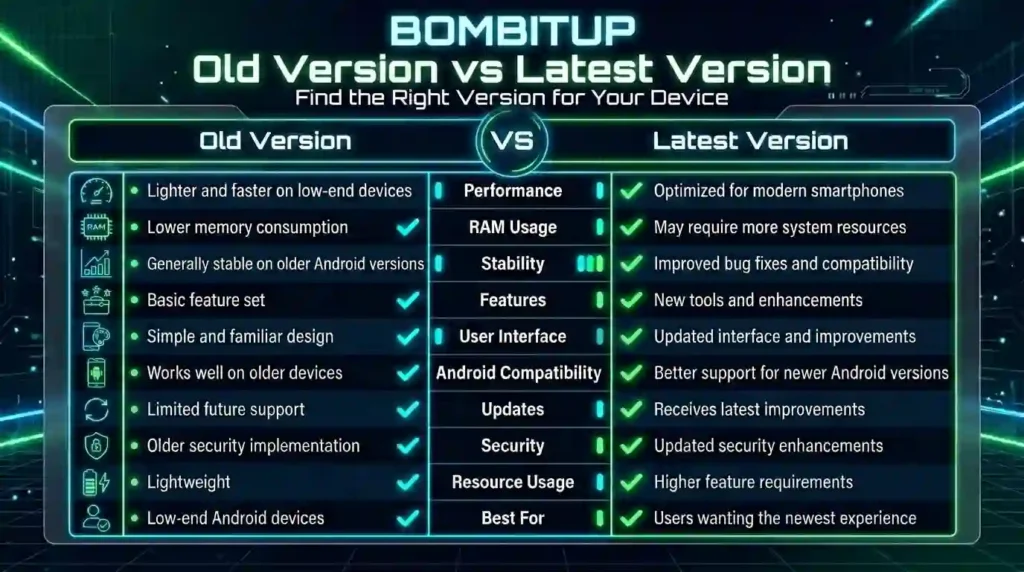
The answer depends on your device and what type of experience you want.
| Feature | Old Versions | Latest Version |
| Performance | Lightweight and stable | More features but heavier |
| Compatibility | Better for older devices | Optimized for newer phones |
| Battery Usage | Usually lower | Can consume more resources |
| Features | Basic but stable | Updated functionality |
| Stability | Often smoother | Depends on device support |
If your device is slower, an older build may provide a better experience overall.
Always download APK from trusted sites. Considering that such applications are installed outside official application stores, the focus on safety and compatibility during the process
Step 1: Find a Trusted Source
- The first step is choosing a trusted platform for the APK file of bombitup old version.
- Many unofficial websites upload modified or unsafe APKs that may contain malware, hidden permissions, or harmful code.
Before downloading:
- Do not use spam sites
- Ensure that you are using the right version of the APK file
- Avoid using very modified APK files
- Look for any user reviews if possible
Using a trusted source greatly reduces installation risks.
Step 2: Download the APK File
Start the BombitUP old version APK download process directly on your Android device. When you find the required APK file,
Before downloading, make sure:
- Your internet connection is stable
- You have enough free storage space
- The file size appears normal
If the APK file size looks unusual, avoid installing it.
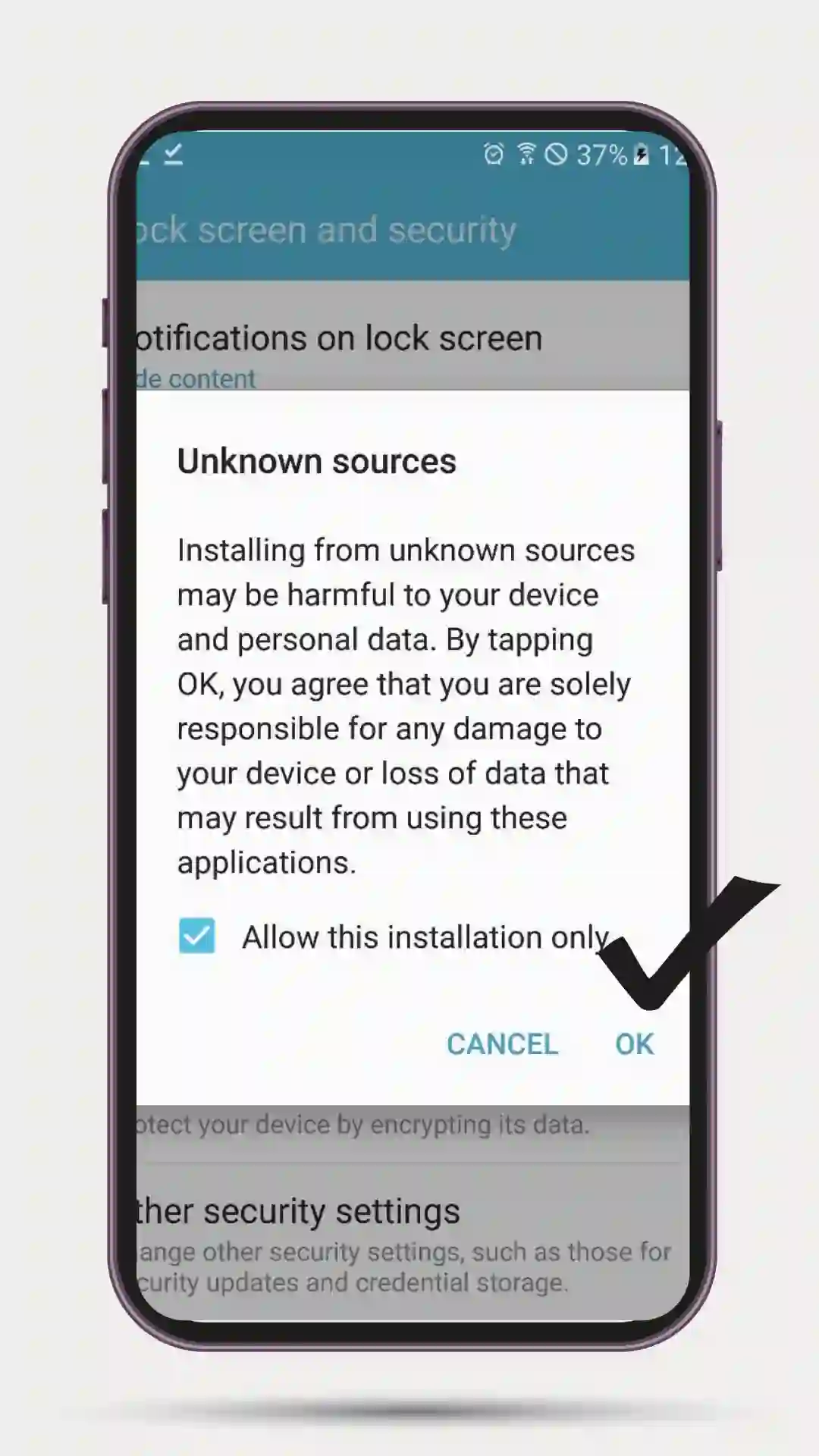
Step 3: Enable Unknown Sources
Android blocks manual APK installation by default for security reasons.
To allow installation:
1. Open your phone’s Settings
2. Go to Security or Privacy Settings
3. Enable “Install Unknown Apps” or “Unknown Sources”
4. Allow permission for your browser or file manager
After installation, it is recommended to disable this option again for better security.
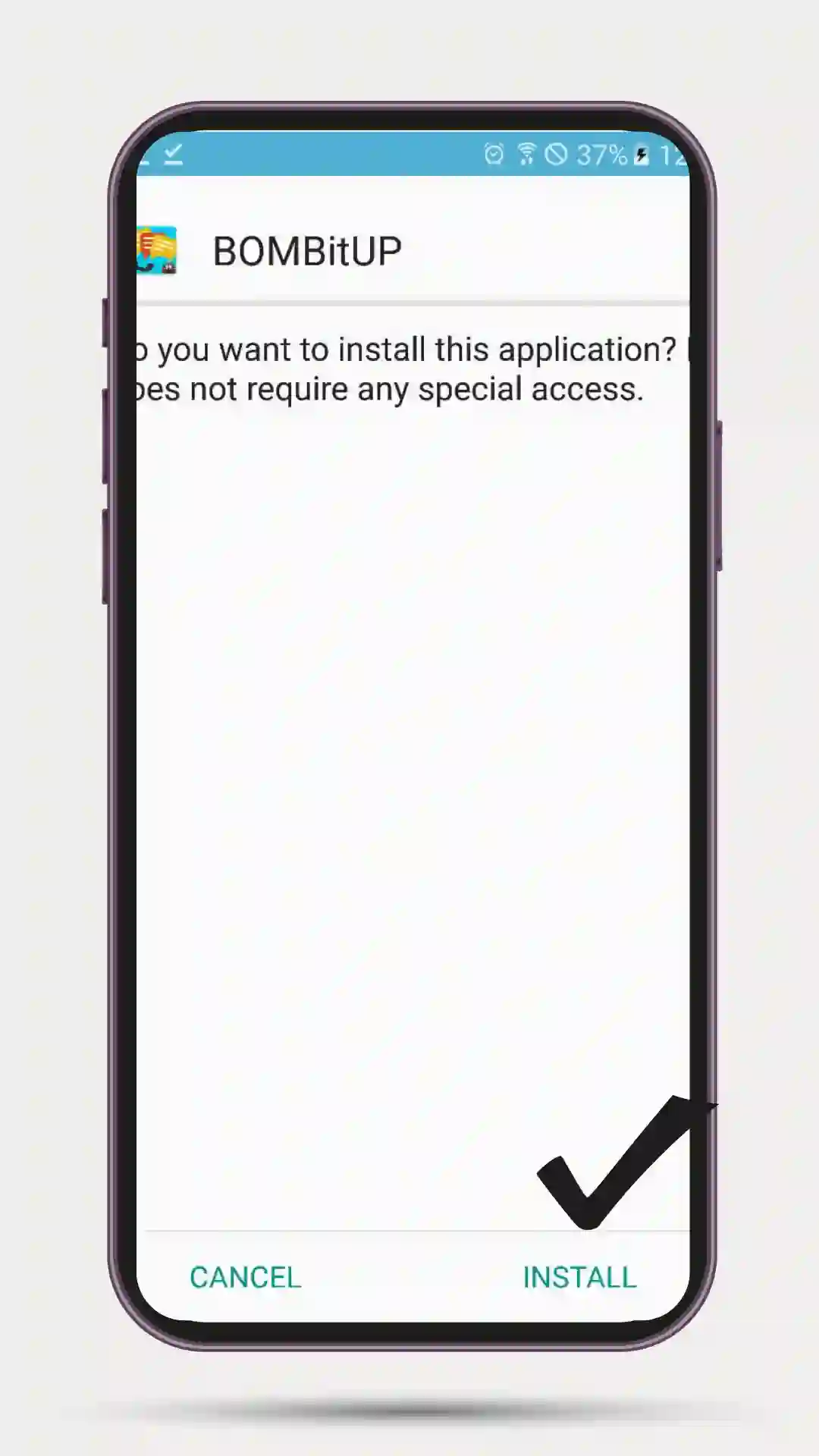
Step 4: Install the APK
Select the bombitup old version downloaded APK file inside your Downloads folder or File Manager. Tap the file, then choose install. The installation process usually takes a few seconds, depending on your device’s performance.
Installation Steps:
- Do not interrupt the installation process.
- Make sure that your battery is not totally dead.
- Do not install other APK files simultaneously.
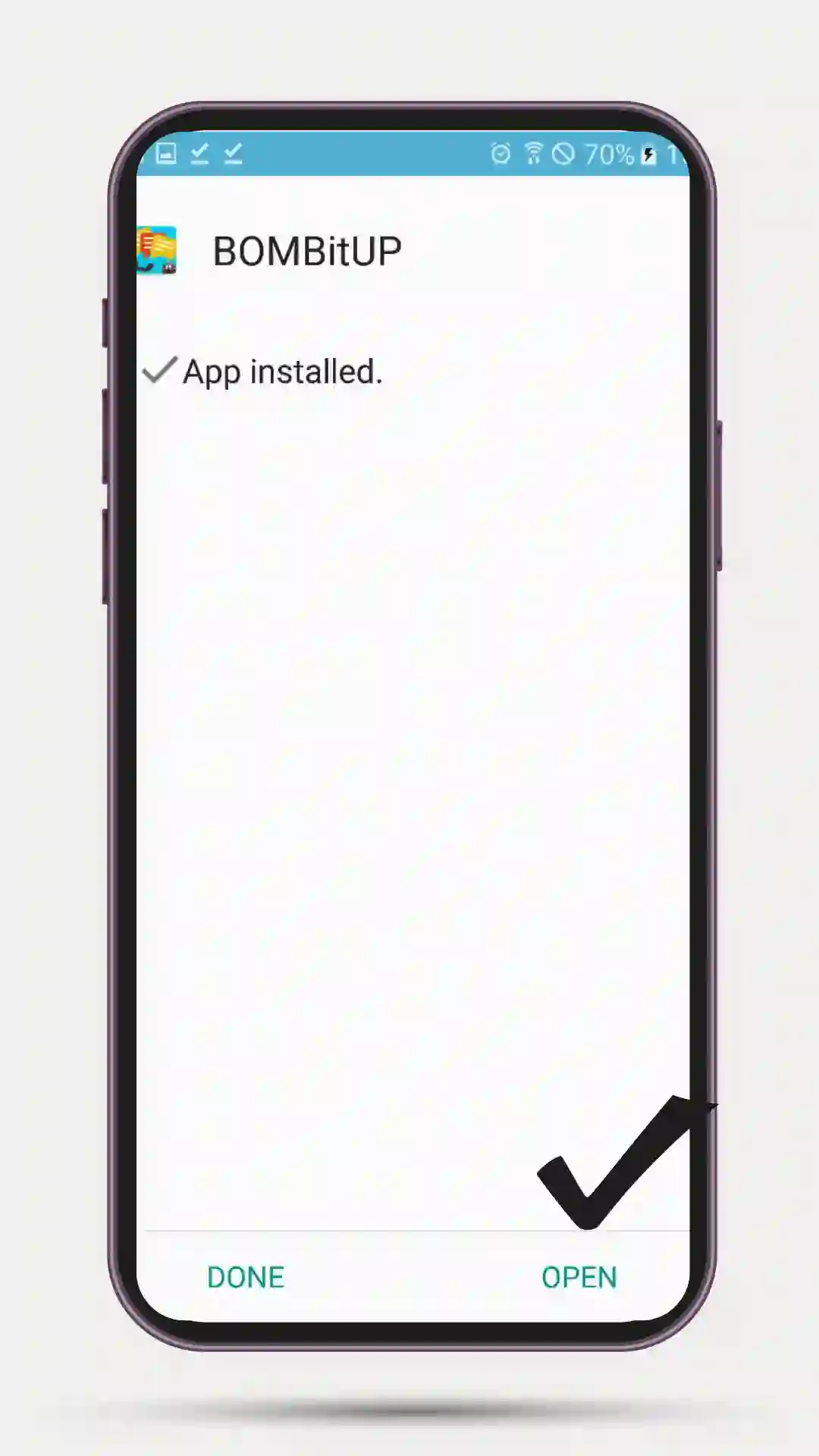
The app icon will be displayed after you install the APK file successfully.
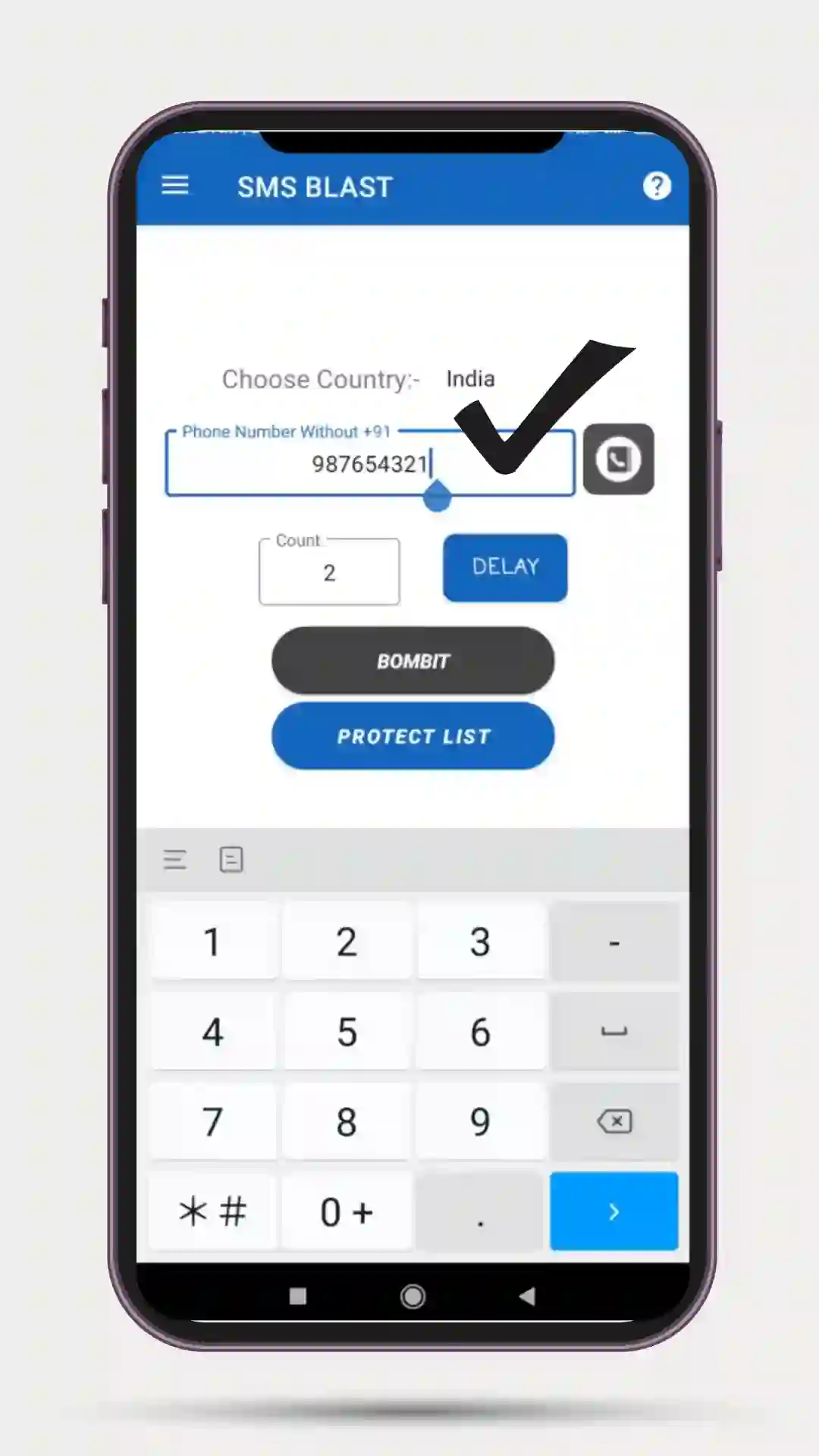
Step 5: Testing the application Carefully
After downloading the APK file, open the application to ensure that it functions correctly on your device.
- App loading speed
- Crashing or freezing
- Unusual overheating
- Requests for permission are suspicious.
If the app is not working properly, please uninstall it immediately.
Bomb it Older APK downloads are not necessarily unsafe, but downloading them from untrustworthy websites can cause significant security risks.
Some dangers of using outdated APK files include:
- Malware is included within the file
- Extra tracking permissions included
- Code modifications
- App instability
It is advisable for users of APK files to practice some safety while downloading such files.
To reduce risks:
- Download APK files only from trusted sources
- Avoid unofficial modified builds
- Scan APK files before installation if possible
- Never allow unnecessary permissions
Careful installation practices matter more than the versions in question.
Most of the issues faced by users while using an old version of this application usually arise due to software and hardware problems
Newer Android systems might not be fully supported by older builds, which could result in sudden startup crashes.
Android may block installation if another version of the app is already installed on the device.
The latest version has several improvements and interface changes, but these will be absent in the old version.
Older versions are lighter but can still lag on devices with very limited RAM or storage. Using a stable APK version that works on your Android device will help you avoid most of these issues.
What is the old version of the BombitUP APK?
It is a previous version of the app that users install for better stability, compatibility, or smoother performance on older devices.
Why do users prefer older versions?
Many Android users feel older versions of Android are lighter, faster, and easier to use compared to newer updates.
Is downloading older APK versions safe?
It can be safe if the APK file comes from a trusted source. Unofficial or modified APK files may contain security risks.
Which version works best?
It depends on your device. Versions like 4.5.0 and 4.4.2 are commonly preferred for stable performance on older Android phones.
Older versions of BombitUP APK are very popular among Android users, as they offer the most enjoyable experience for many. Although new releases may offer more features and a better user interface, they do not fit all devices, and some users may struggle to understand them. Older devices always run flawlessly with minimal APK versions that take up less storage space in the devices. However, it should be kept in mind that security is the main concern for users when downloading an app.
Downloading from untrusted sources might lead to many security and operational issues for your device. Thus, the best possible APK version would be one that offers a smooth, trouble-free experience.